a terminal for iPhone & iPad ✦

I wrote a wish list for a phone terminal. Then I built the terminal.

Hoshi means star in Japanese. It's the SSH and Mosh terminal I always wanted on my phone, with tmux, Herdr, and keys that change with the app you're in. It's open source, and it costs $4.99 once.

or build it yourself for free. It's MIT.

my terminal wishes

  • code I can read & hack
  • pay once, that's it
  • mosh!!
  • tmux, right away
  • herdr too
  • keys for each app
  • …and my own keys
  • arrows w/o arrow keys
  • my themes + fonts
— Felipe

Nine wishes, all granted.

Every wish on that list is in the app today. Here's each one working.

wish nº 1

I could read the code, fix what bugs me, and send a PR.

Granted ✦

Hoshi is MIT-licensed on GitHub. The Mosh client, the toolbar, the Herdr integration: it's all there to read. Found a bug? Open a pull request. Want a feature I didn't think of? Fork it and add it.

~/code
$ git clone https://github.com/fcoury/hoshi
$ cd hoshi && ./scripts/bootstrap.sh
✓ GhosttyKit built
✓ Hoshi.xcodeproj generated
$ open Hoshi/Hoshi.xcodeproj ✦

three commands from clone to Xcode
wish nº 2

I paid once and never saw a subscription screen.

Granted ✦

$4.99, one time. Every feature is included and updates are free. The price exists to pay Apple's $99 yearly developer fee. Once that's covered, the price comes down. And you can always build it from source for free.

Apple Developer Program$99 / year
What I keep after Apple's cut≈ $4.24 / copy
Copies to cover a yearabout 24
wish nº 3

my session survived the train tunnel.

Granted ✦

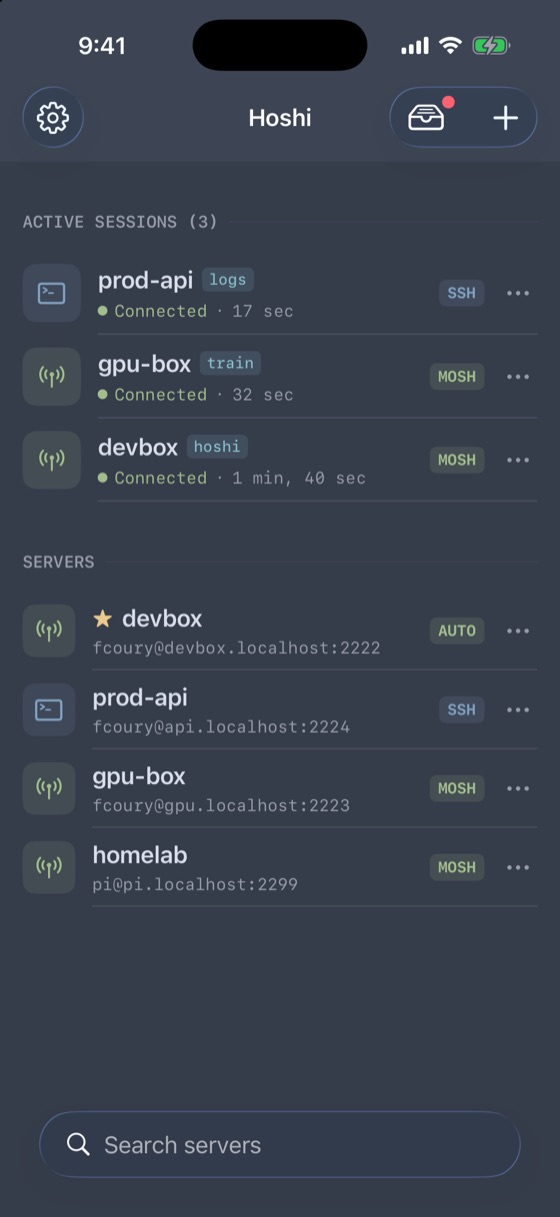
Hoshi has Mosh, written from scratch in Swift. Switch from Wi-Fi to cellular, lock the phone, ride through a tunnel. When you come back, you're still there. If mosh-server can't start, Hoshi tells you why, shows you how to fix it, and falls back to SSH.

Hoshi's server list with three active sessions, two over Mosh

three sessions, two over mosh

wish nº 4

it dropped me straight back into tmux.

Granted ✦

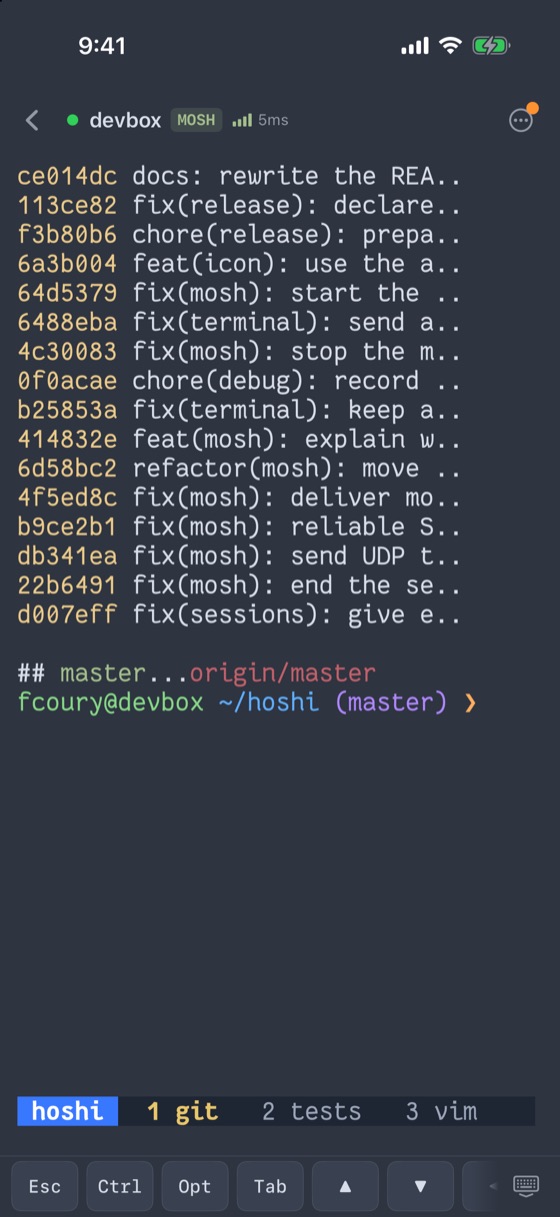
Hoshi finds your tmux sessions when you connect, with their names, window counts and last activity. Pick one, or start a new one. It remembers your choice, so next time one tap gets you back where you were.

tmux running inside Hoshi, showing the git log of Hoshi itself

Hoshi's own git log, in tmux, in Hoshi

wish nº 5

I could check on my agents from the couch.

Granted ✦

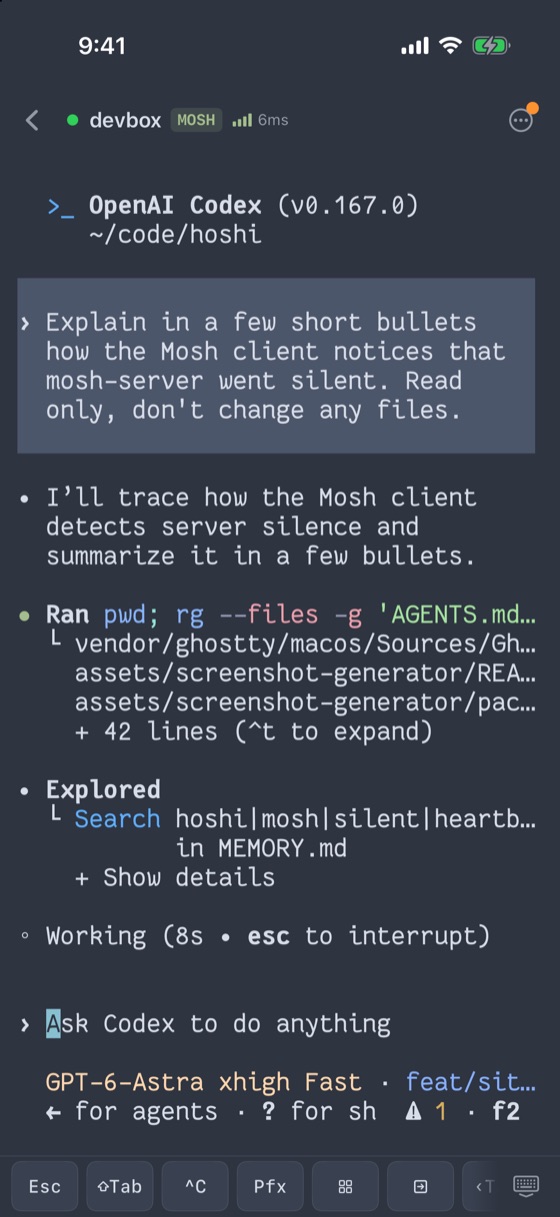
Herdr is built in. Attach to a Herdr session, or jump straight to one agent's pane. See which agents are working, waiting or done, reply to one, and follow it on the Lock Screen. Hoshi even imports your server's Herdr keybindings.

Codex working in a Herdr pane inside Hoshi, searching the repo for how the Mosh client detects a silent server

real Codex, digging through Hoshi's Mosh code

wish nº 6

the keyboard knew what I was running.

Granted ✦

The key bar changes with the app on screen. vim gets :w and ^R. Claude Code gets ⇧Tab and @. less gets q, n and G. Hoshi reads the terminal title and switches sets on its own. Try it.

nvim MoshStateSync.swiftVim keys

wish nº 7

I could add the keys I actually use.

Granted ✦

Add your own keys, drag them where you want them, and build whole sets with their own match words and tmux-style prefix. If a command lives in your fingers, it can live on the bar.

fcoury@devbox ~/hoshiMy keys
EscCtrlTab↑↓

tap + add to make a wish of your own

wish nº 8

I had arrow keys without hunting for arrow keys.

Granted ✦

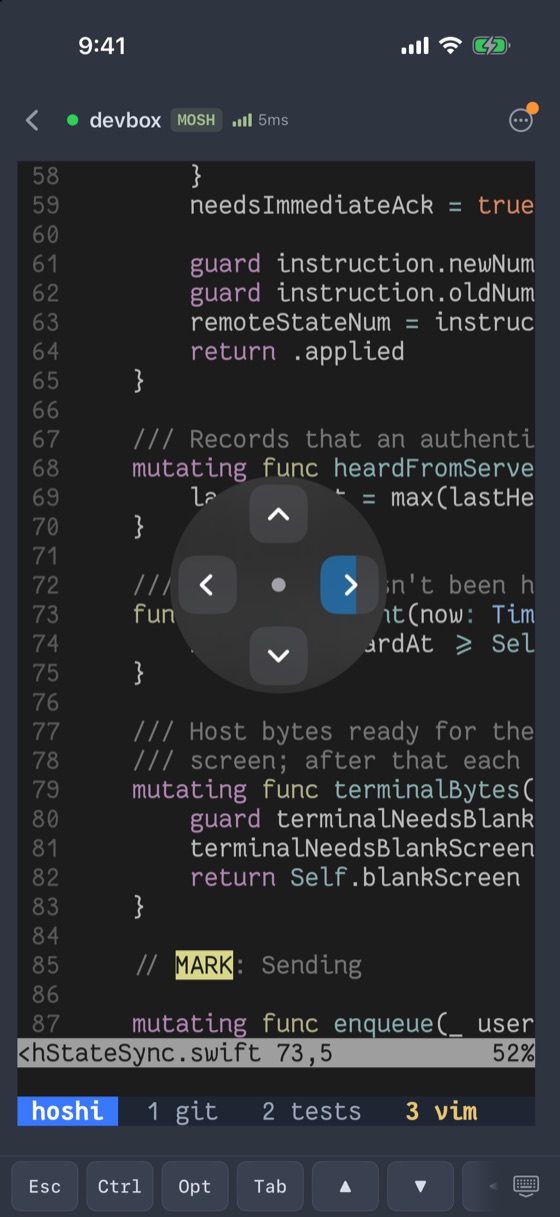
Long-press the arrow key and it turns into a joystick. Drag in any direction and hold to keep moving. You can also swipe along the key bar. Tap to place the cursor in vim, pan to scroll, and pinch to resize the text.

The arrow joystick open over vim in Hoshi

the joystick, steering through vim

wish nº 9

it looked exactly like my desktop.

Granted ✦

The terminal is drawn by Ghostty on Metal, so it looks crisp. Pick from 50+ bundled Nerd Fonts and the themes you already use: Tokyo Night, Catppuccin, Gruvbox, Nord, Dracula and Solarized. Go ahead, try them on.

fcoury@devbox ~/hoshi (master)
❯ git log --oneline -3
414832e feat(mosh): explain why it failed
4c30083 fix(mosh): stop a leftover server
b9ce2b1 fix(mosh): reliable SSP sender
❯ make test
✓ 692 passed  1m53s
❯  
Tokyo NightJetBrains Mono

Watch them come true.

Ninety seconds, nine wishes, and the real app on a real server. No mockups.

1:34 · no sound needed

The small print, written big.

Is there a subscription?

No. $4.99 once gets you every feature on this page and every update after it.

Why charge at all if it's open source?

Apple charges $99 a year to publish on the App Store. The price covers that. Once it's covered, the price goes down.

Can I really build it myself?

Yes. Clone the repo, run ./scripts/bootstrap.sh, and open it in Xcode. You'll need a Mac and a free Apple ID to run it on your phone.

Does it collect anything?

No account, no analytics, no ads. Credentials stay in the iOS Keychain, and Hoshi only talks to your servers.

Does it work on iPad?

Yes. Every session gets its own terminal in split view, and hardware keyboards work as you'd expect.

I have a wish you didn't list.

Open an issue on GitHub, or better, send the pull request. That's what wish nº 1 is for.

Go on, make a wish.

Hoshi is on the App Store for iPhone and iPad. The source is on GitHub for everyone.